Changes & Diff
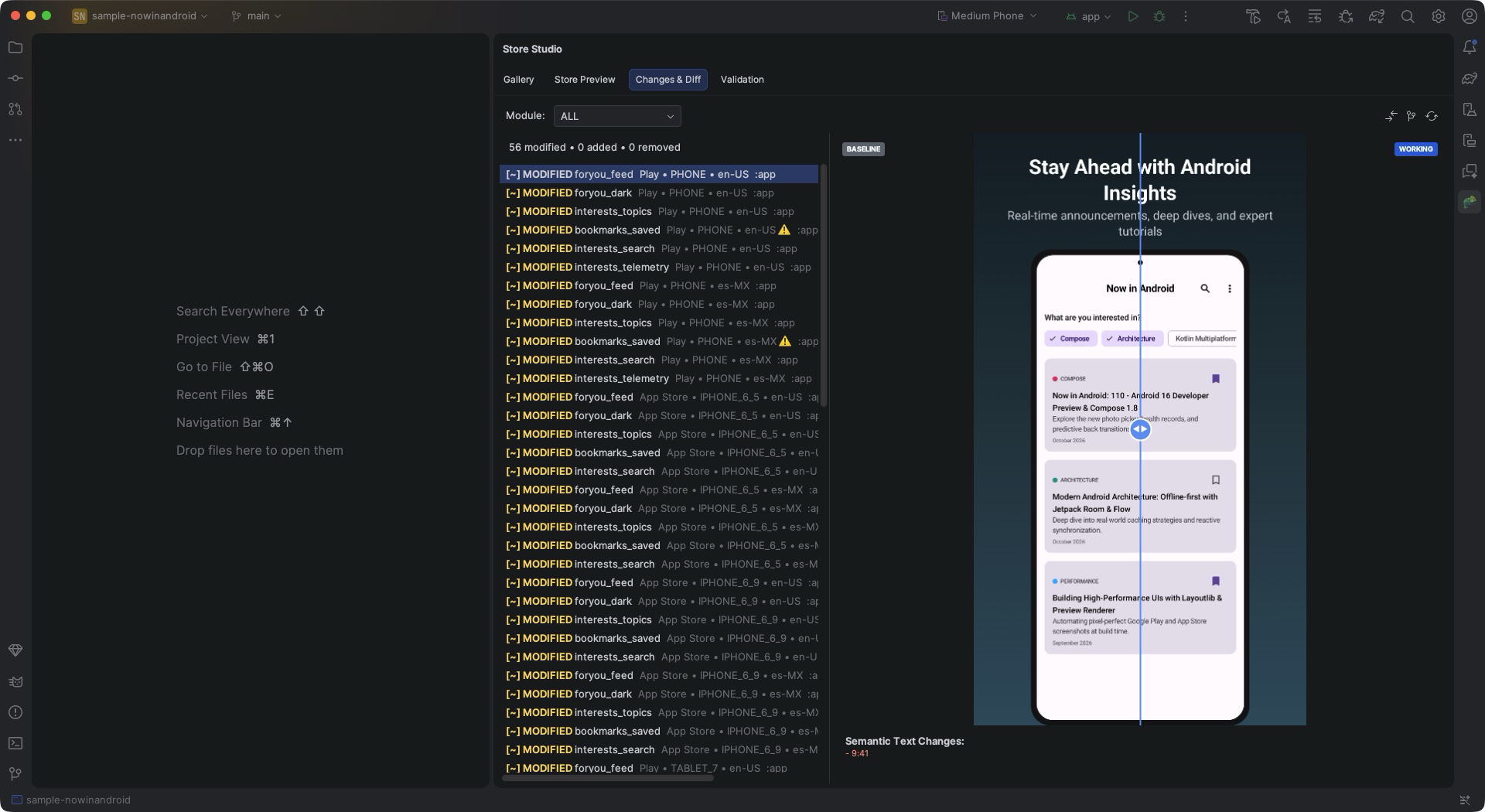
The Changes & Diff tab shows what changed in your screenshots compared with a base: the base branch rendered on your machine, or a committed baseline.
Using it
The toolbar has two ways to compute the diff:
- Compare with Base Branch renders the base branch on your machine and compares
(
storeDiff --render-base). The base is the merge base withorigin/main(ormain), or the branch set in Settings. No baseline is needed. - Run storeDiff compares against the committed baseline, if your project records one.
The tab lists every changed image with its status (added, removed, modified, reordered, or moved and modified) and says what it compared against. Select a change to compare the base and current image with a slider. When the captured text changed, the Semantic Text Changes section lists the removed and added lines.
Use Refresh after running the diff from the command line.