Validation
The Validation tab shows the result of storeValidate: an overall status and the list of findings.
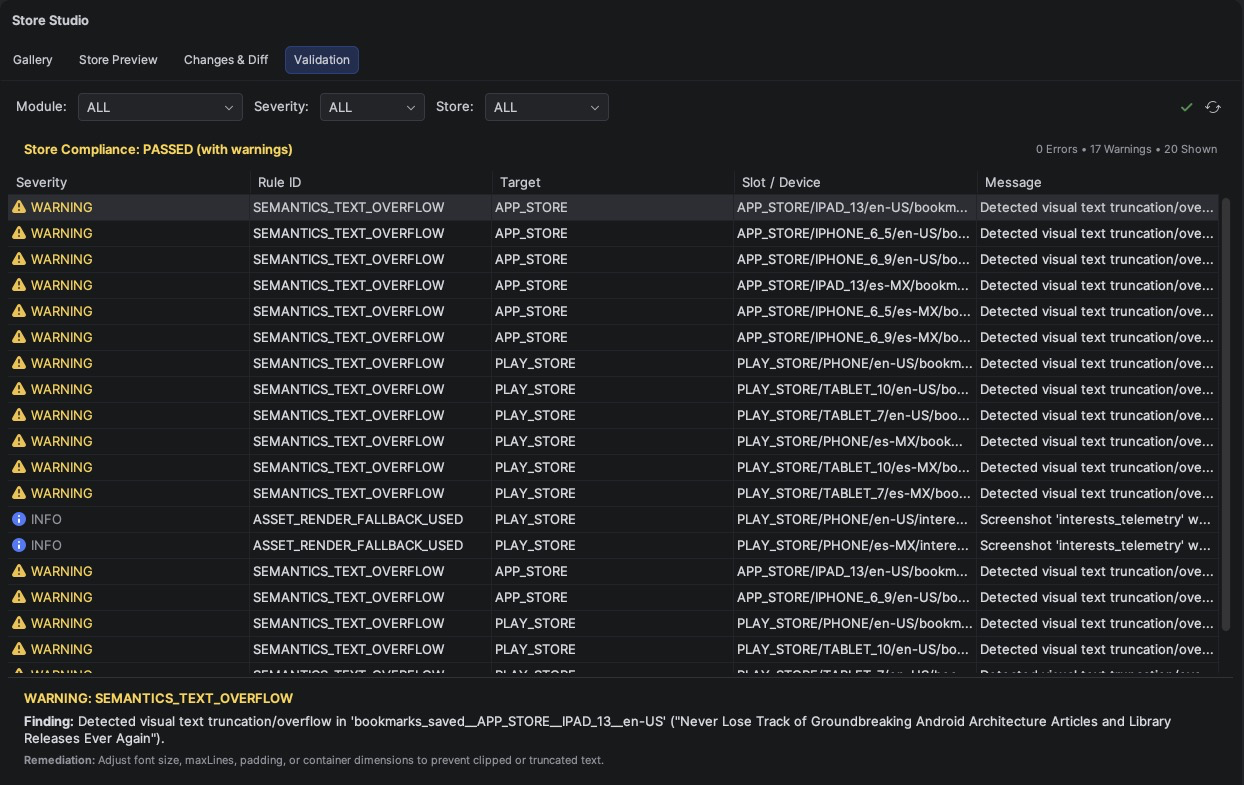
The header summarizes the result:
- Store Compliance: PASSED: no findings that block publishing;
- PASSED (with warnings): there are warnings to review;
- FAILED: at least one error; the stores would reject these assets.
Each finding shows its severity, rule id, target and message. Double-click a finding to jump to the screenshot's source. The full list of rules and how to change their severity is in Validation.
Use Run store compliance validation in the toolbar to run storeValidate, or Reload
validation report after running it from the command line.