Store Preview
The Store Preview tab simulates how your listing will look on Google Play and the App Store, using the exported screenshots, the feature graphic and the store metadata text.
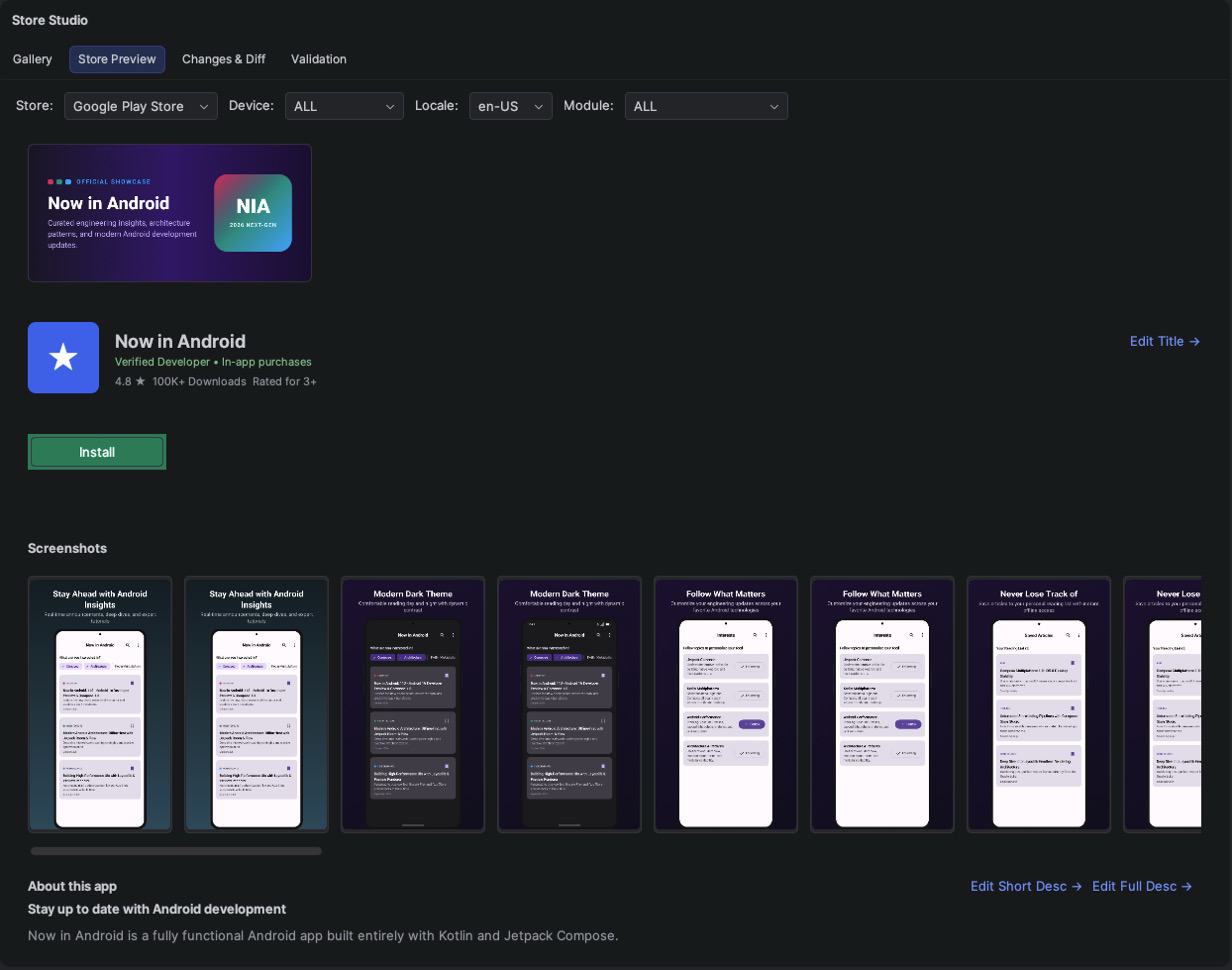
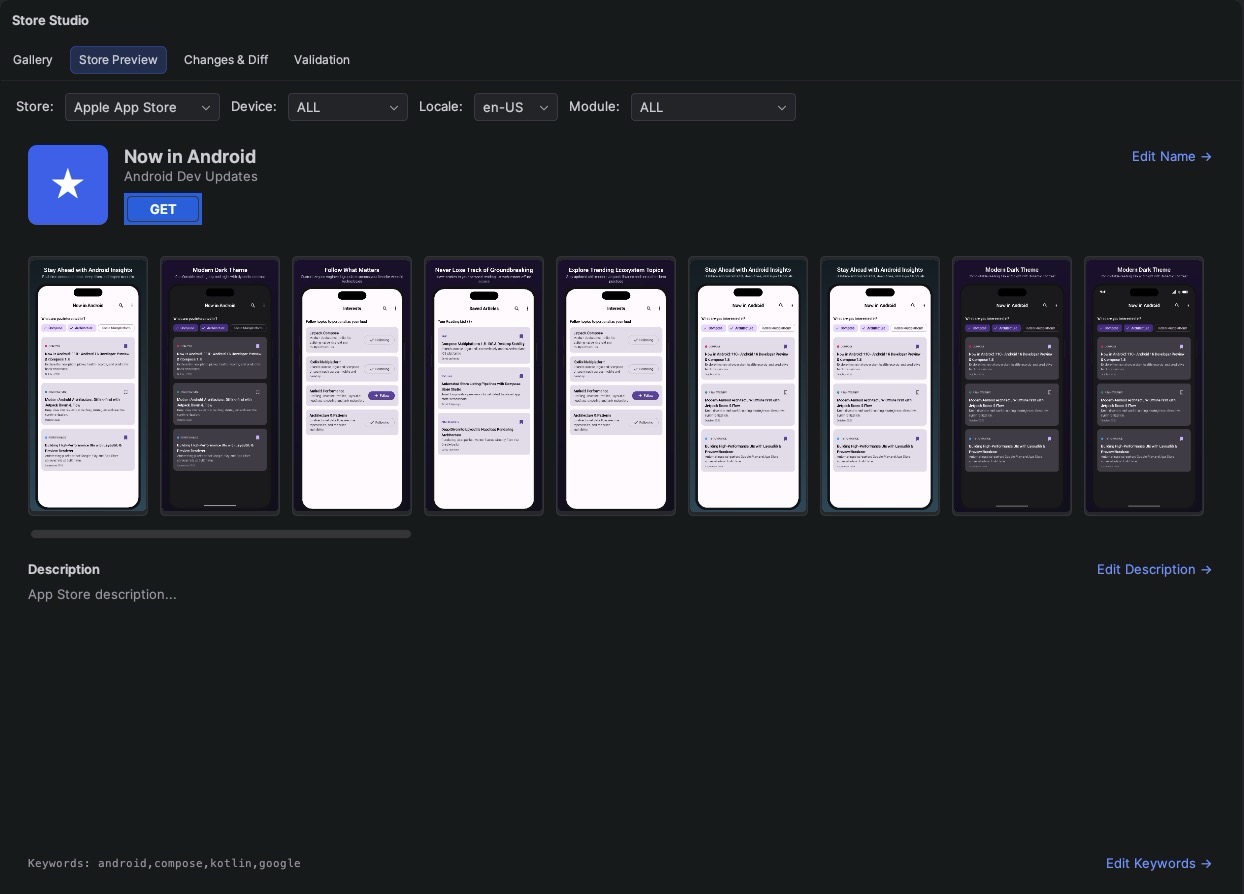
Choose the module, store, device and locale at the top to switch between listings. The preview shows:
- the title, subtitle and descriptions from your metadata, in the selected locale;
- the screenshot carousel in store order, and the Google Play feature graphic;
- the app icon of each store, set with
icons { }. Double-click it to open the file. Without an icon, the Chameleon logo is shown instead.
Use Zoom In, Zoom Out and Reset Zoom to inspect details.
Use it to check how the first screenshots read together, whether headlines are readable at store size, and how translations fit.
The same simulation is available as a shareable HTML file with ./gradlew storeListingPreview; see
HTML Reports.