Settings
Open Settings → Tools → Chameleon Store Studio. Settings are stored per project.
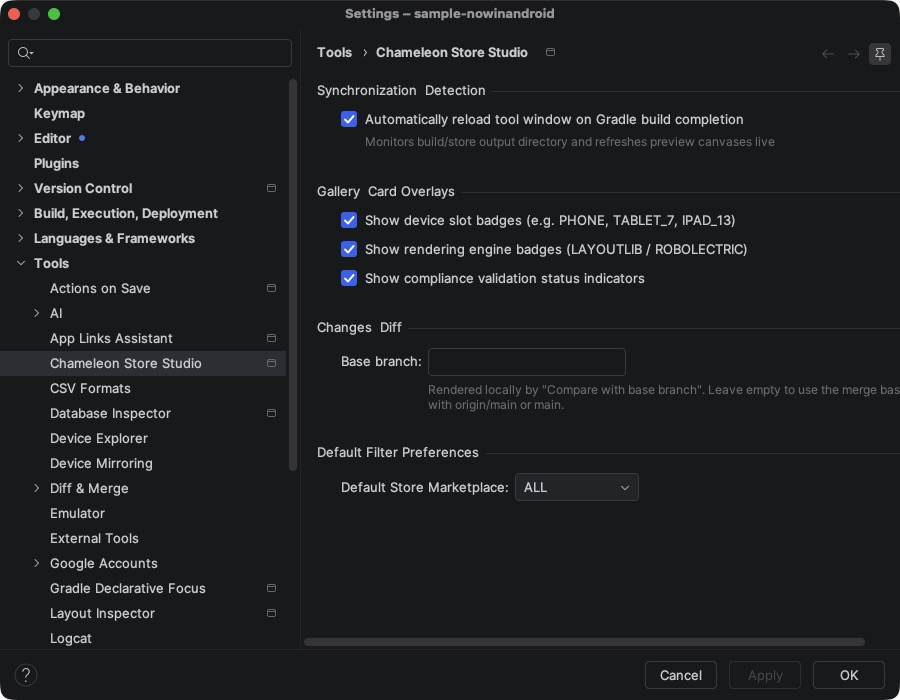
| Setting | Default | Description |
|---|---|---|
| Automatically reload tool window on Gradle build completion | On | Refreshes the tabs when a build that touches build/store finishes. |
| Show device slot badges | On | PHONE, TABLET_7, IPAD_13… on gallery cards. |
| Show rendering engine badges | On | LAYOUTLIB / ROBOLECTRIC on gallery cards. |
| Show compliance validation status indicators | On | ERROR / WARNING on gallery cards. |
| Default Store Marketplace | All | Store filter preselected in the gallery. |
| Base branch | empty | Branch rendered by Compare with Base Branch. Empty uses the merge base with origin/main or main. |
Store Studio's build configuration (stores, devices, locales, rendering) lives in Gradle, not in the IDE; see Configuration.